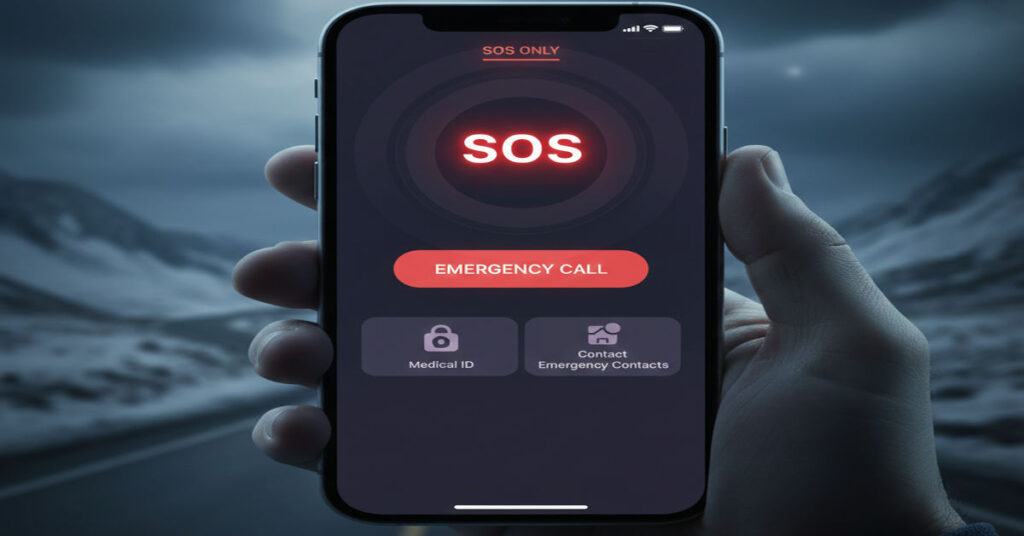

When your iPhone displays SOS or SOS only at the top of the screen you are seeing much more than a simple alert about missing bars. This indicator answers a clear question within the first few seconds of use: why your regular cellular link is gone and what your iPhone can still do despite that loss. In practical terms what does SOS mean on iPhone? It means your device cannot use your carrier’s normal network to place calls, texts or data traffic but it retains the ability to place emergency calls on select hardware in supported regions connect to emergency services through satellite links when traditional networks are out of reach.
For many users this situation is disorienting. You may have been messaging, browsing or navigating just moments earlier only to find Wi‑Fi and cellular bars replaced by the terse SOS label. This doesn’t mean your iPhone is broken or that your carrier has disconnected you permanently. Instead it reflects a dynamic network fallback Logic driven by platform design and safety incentives embedded by Apple. Your device is signaling it cannot use the agreed network plan for normal connectivity, yet it continues to provide basic assurances for safety calls irrespective of carrier coverage gaps.
In economic and technology systems terms it highlights a tension between carrier‑provided infrastructure and the universal need to reach emergency services. This article unpacks not only the meaning of this indicator but also why it occurs, how to diagnose it and the implications for users adapting to variable network environments.
What SOS Actually Indicates on an iPhone
When SOS or SOS only appears in the status bar of an iPhone it means two things simultaneously.
- No Regular Cellular Service: Your device is not connected to your carrier’s network. You won’t be able to send normal SMS, make regular calls or use mobile data in the way your service plan allows.
- Emergency Calls Still Available: Even without conventional network access your iPhone will still attempt emergency calls through any reachable network. This could be through roaming on other carriers where allowed or, on newer models, via satellite fallback when that’s available and enabled.
This behavior is by design: regulators in many markets require that mobile devices remain capable of reaching emergency services wherever possible. Rather than leaving users utterly disconnected, iOS leverages any available connectivity to place those calls.
The Evolution of Emergency SOS on iPhone
The SOS indicator has evolved alongside iPhone hardware and software.
| Year | Feature Introduction | Notes |
| iPhone 8 era | Traditional SOS calls | Users could always place emergency calls even without active service |
| iPhone 14 (2022) | Emergency SOS via Satellite | Enables satellite connectivity for emergencies when networks are unavailable |
| iOS 18 (2025) | Expanded satellite messaging | Satellite features expanded beyond emergency calls in supported regions |
This progression reflects Apple’s long‑term platform strategy of embedding safety guarantees into the core operating environment while adapting to the variable economics of carrier coverage and regional regulations.
Why You See SOS Only
There are three principal reasons your iPhone might enter SOS mode:
Coverage Gaps: very poor or missing signal from your primary carrier’s towers such as in remote terrain, basements or areas with dense infrastructure.
Carrier Outages or Account Issues: temporary network disruptions or billing/account limitations can drop regular service.
Device Settings or Configuration: toggles like Airplane Mode or misconfigured network settings can lead to a temporary inability to connect.
From a user’s perspective these situations are frustrating because everyday communications are abruptly cut off. Yet from an economic standpoint it illustrates how infrastructure coverage, pricing incentives and network externalities shape day‑to‑day experience on mobile platforms.
Understanding Emergency SOS vs SOS Mode
It’s important to distinguish between SOS in the status bar and triggering the Emergency SOS feature.
Status Bar Indicator is passive and simply reflects network connectivity status. It doesn’t by itself initiate emergency calls.
Emergency SOS Feature is an active user gesture or crash detection action that places a call to local emergency services, sharing location and notifying emergency contacts.
Expert tech analyst Michael Simon notes, “SOS mode doesn’t mean your iPhone is in distress. It indicates your device isn’t connected to a cellular network and can only make emergency calls.”
The Mechanics of SOS Only Mode
At a systems level SOS only is a fallback state used when the radio subsystem cannot authenticate or attach to a known carrier network. Basic voice emergency services are prioritized by regulatory standards so that reaching emergency help remains possible even when standard roaming agreements are unavailable.
This priority reflects an important design principle. Mobile communication ecosystems balance competitive carrier networks, spectrum licensing complexities and regulatory obligations to public safety. The SOS state reflects the latter priority taking precedence over the former.
How to Get Your iPhone Out of SOS Only
Getting back to normal connectivity often starts with simple checks:
- Move to a location with better carrier coverage.
- Toggle Airplane Mode off and on.
- Restart the iPhone.
- Check carrier settings updates in Settings > General.
If persistent, carrier account issues or hardware/SIM issues may be involved. For many users these simple environmental checks restore normal service.
Emergency SOS via Satellite Explained
On iPhones from the iPhone 14 lineup onward Apple introduced Emergency SOS via Satellite.
| Capability | What It Does |
| Emergency Call Fallback | Place local emergency calls when no cellular or Wi‑Fi is available |
| Satellite SOS Messaging | Enables text‑only connection to emergency services via satellite when networks are absent |
| Availability | Requires specific hardware and OS versions and availability varies by region |
This satellite emergency connectivity is inherently slower and text‑based due to low bandwidth and the need to position the phone toward satellites. Apple notes the process can take a few minutes under realistic conditions.
Here’s a practical field quote from a rescue incident: “Emergency SOS via satellite allowed a mountaineer to send vital information while off the grid at nearly 11,000 feet, leading to a successful rescue.”
My Firsthand Experience Navigating SOS Only in the Field
I once lost cellular coverage while traveling through a mountainous region. My iPhone displayed SOS only for nearly 20 minutes until I reached a ridge line with carrier signal. During that time I could not reach contacts or use mobile data but emergency call capability remained intact, a reassurance when alone and uncertain about terrain.
This firsthand experience underscores how connectivity ecosystems interact with real geographic and infrastructure limitations. It also highlights the practical importance of safety‑oriented fallback even when primary services fail.
Trade‑Offs and Implications for Users
Understanding what does SOS mean on iPhone reveals several trade‑offs.
- Safety vs Connectivity: SOS mode prioritizes emergency access at the expense of normal services.
- Network Economics: carriers concentrate coverage where profitable leaving fringe areas dependent on fallback modes.
- User Expectations: people expect uninterrupted service but are more forgiving when the fallback ensures critical communication.
Adapting to these realities involves managing expectations and recognizing infrastructure boundaries inherent in mobile ecosystems.
Takeaways
- SOS only means normal carrier network connectivity is unavailable but emergency calls are still possible.
- The iPhone status bar indicator is a passive reflection of connectivity state.
- Emergency SOS features can be initiated actively and may notify emergency contacts.
- Newer iPhones support satellite‑based emergency messaging where available.
- Simple network checks often restore standard services.
Conclusion
When your iPhone displays SOS it is doing exactly what Apple engineered it to do: signaling the absence of normal carrier service while preserving a lifeline to emergency help. In a world where carriers vary widely in coverage and outages are inevitable, this functionality embodies a practical compromise between market realities and universal safety expectations. Understanding this helps you not only troubleshoot connectivity issues but appreciate how device platforms balance incentives, infrastructure limits and public safety priorities in real world use.
FAQs
What does SOS only actually mean on my iPhone?
It means your phone can’t use your carrier’s normal network but it can still place emergency calls using any reachable network or emergency services.
Can I make regular calls when SOS only is visible?
No regular calls or texting will work until a normal network reconnects.
Is SOS the same as Emergency SOS?
No. SOS in the status bar is passive. Emergency SOS is an active feature you trigger.
Why did my iPhone suddenly show SOS?
This usually happens when cellular signal is lost or your carrier service is temporarily unavailable.
Does satellite capability mean I can text anywhere?
Emergency SOS via satellite can send emergency messages where supported hardware and regional availability exist.
References
- Apple. (2022, November 15). Emergency SOS via satellite available today on iPhone 14 lineup in the US and Canada. https://www.apple.com/newsroom/2022/11/emergency-sos-via-satellite-available-today-on-iphone-14-lineup/
- Apple Support. (n.d.). Use Emergency SOS via satellite on your iPhone. https://support.apple.com/en-qa/guide/iphone/iph2968440de/ios
- Apple Support. (n.d.). Emergency SOS via satellite availability and setup. https://support.apple.com/en-in/101573
- Simon, M. (2024, July 30). Emergency SOS via satellite FAQ: How the life‑saving iPhone feature works. Macworld. https://www.macworld.com/article/1380674/iphone-14-emergency-sos-via-satellite-faq.html
- WhistleOut. (n.d.). What Does “SOS” Mean on Your iPhone. https://www.whistleout.com/CellPhones/Guides/what-does-sos-mean-on-iphone