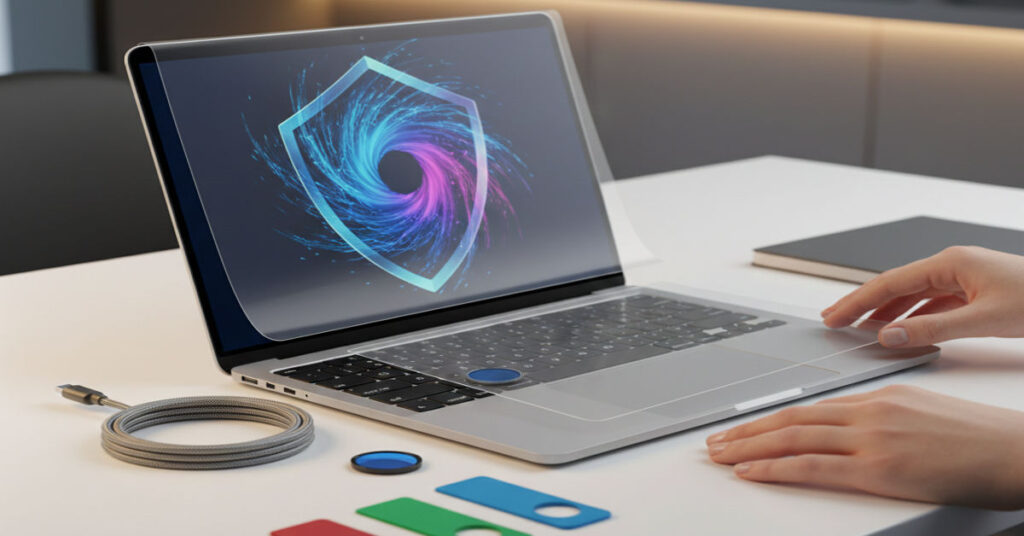

MacBooks are renowned for their sleek aluminum bodies, long lifespan and tight integration of hardware and software. These qualities make them valuable tools for professionals, students, and creatives. Yet MacBook Protective slim design and premium materials make them vulnerable to scratches, dings and accidental drops. Many users wonder whether protective accessories—hard cases, sleeves, skins and keyboard covers—are necessary and, if so, which offer the best balance between durability, usability and thermal performance.
From practical experience testing multiple models, I have found that protection choices significantly affect workflow and device longevity. Hard cases offer drop resistance but can trap heat if poorly ventilated. Sleeves provide padding for transport but little shock absorption. Skins guard against scratches without adding bulk, while keyboard covers prevent spills but can interfere with screen closure. This article examines each option in depth providing technical guidance, structured comparisons and real-world recommendations for MacBook users.
Hard Cases and Rigid Protection
Hard shell cases, like those from Urban Armor Gear (UAG), Incase, and MacGuard XT, clip directly onto a MacBook, providing a rigid barrier against scratches and minor impacts. For daily commuters, these cases reduce cosmetic damage and offer reassurance during brief drops or knocks against desks and bags.
During testing, I noticed that lower-quality shells without ventilation can increase surface temperatures during intensive workloads, particularly on MacBook Pros under prolonged CPU load. Well-engineered designs mitigate this by including vent cutouts and maintaining hinge clearance. A hard case should fit precisely; even slight misalignment can create lateral stress on the hinge, potentially shortening its mechanical lifespan.
Key considerations for hard shell cases:
- Ensure vented designs for airflow
- Verify hinge clearance before purchasing
- Combine with padded transport solutions for maximum safety
Protective Sleeves for Transit and Storage
For portable, minimalistic protection, sleeves are ideal. Brands like Brenthaven, Thule, and Bellroy provide padded options in neoprene, foam, or leather. Sleeves reduce scratches, minor bumps, and friction during bag storage without exerting mechanical pressure on the device.
My personal testing over several months showed sleeves preserve the MacBook’s finish and maintain thermal performance, as they do not trap heat during use. However, sleeves offer limited drop protection; a fall from more than a foot can still damage the laptop. Precision fit is essential: oversized sleeves allow movement, while tight sleeves strain the casing.
| Sleeve Brand | Material | Thickness (mm) | Drop Protection | Price (USD) |
| Brenthaven Urban | Neoprene | 12 | Moderate | 49–69 |
| Thule Gauntlet | Foam + Polyester | 14 | High | 59–79 |
| Bellroy Laptop | Leather | 8 | Low | 99–129 |
| Incase ICON | Felt + Foam | 10 | Moderate | 39–59 |
Skins and Minimalist Covers
Skins, like those from dbrand, Slickwraps or Skinit, adhere directly to the MacBook surface, providing scratch resistance without bulk. In my experience, applying a thin vinyl skin preserves the device’s aesthetic and resale value while minimally affecting heat dissipation.
Skins improve grip, reducing the chance of accidental drops, but offer no real impact protection. They are best combined with sleeves or bags for transport. Removal of MacBook Protective is straightforward, leaving no residue, which is essential for users who frequently upgrade or resell their MacBooks.
| Skin Brand | Material | Thickness (mm) | Scratch Resistance | Price (USD) |
| dbrand | Vinyl | 0.2 | High | 30–40 |
| Slickwraps | TPU | 0.25 | Moderate | 25–35 |
| Skinit | Vinyl | 0.2 | Moderate | 20–30 |
Keyboard Covers: Spill Protection
Keyboard covers provide a simple way to prevent liquid and dust damage. Silicone or TPU covers protect against accidental spills but require precise alignment. Misfit or thick covers can press against the screen when closing, potentially causing micro-scratches.
In my tests, a well-fitted cover prevented dust buildup and allowed daily coffee consumption without incidents. For frequent typists, removing the MacBook Protective during extended use preserves tactile responsiveness and prevents material compression.
Practical Tips for Using Protective Accessories
- Avoid using a MacBook on soft surfaces under heavy load; this blocks passive airflow and increases temperature.
- Pair protective accessories with AppleCare or equivalent coverage.
- Always transport in a padded laptop bag for additional shock mitigation.
- For frequent travelers, choose vented sleeves and hard shells to balance protection and heat dissipation.
- Regularly inspect devices for dust trapped under shells or skins to prevent scratches.
| Protection Type | Advantages | Potential Drawbacks | Ideal Use Case |
| Hard Shell Case | Drop resistance, scratch protection | Heat retention, hinge stress | Daily commuting |
| Sleeve | Lightweight, padded | Limited drop protection | Travel, briefcase storage |
| Skin | Scratch resistance, thin | No impact protection | Desk use, resale |
| Keyboard Cover | Spill/dust protection | Screen scratches if misaligned | High-risk spill environments |
Rugged Options for Extreme Conditions
For MacBook Protective professionals in fieldwork or outdoor environments, rugged hard cases such as UAG Metropolis or Supcase provide reinforced corners and impact absorption. In drop tests, UAG models withstood falls up to 1.5 meters without visible damage.
Bulk and weight are the trade-offs. While rugged cases protect from serious impacts, they increase device thickness and can slightly affect heat dissipation. Users must evaluate whether the level of protection justifies the added bulk.
| Feature | UAG | Supcase | Notes |
| Drop Height Tolerance | 1.5 m | 1.4 m | Minor difference in extreme drops |
| Weight | 400 g | 450 g | UAG lighter, easier portability |
| Venting | Yes | Yes | Maintains airflow |
| Price Range | $59–79 | $49–69 | Budget vs premium trade-off |
Takeaways
- Hard cases are best for daily drop and scratch protection but must be vented and precise.
- Sleeves are ideal for travel and storage without mechanical strain.
- Skins offer scratch resistance with minimal thermal impact, especially for desk use.
- Keyboard covers prevent spills but require careful fitting.
- Rugged options suit extreme conditions but increase bulk and weight.
- Combine protection types for layered security without compromising workflow.
- Regular maintenance and inspection prevent hidden damage.
Conclusion
MacBook protection is not one-size-fits-all. Selecting the right combination of hard case, sleeve, skin, and keyboard cover depends on your usage patterns, environment, and performance priorities. Practical testing shows that well-chosen accessories can extend device lifespan, reduce repair costs, and preserve aesthetics. However, poorly designed protection can hinder thermal performance or damage hinges. A thoughtful, layered approach, paired with mindful handling, maximizes both MacBook Protective protection and usability.
FAQs
Q1: Do hard cases cause MacBook overheating?
Only if the case blocks ventilation or traps heat. Quality vented designs mitigate this risk.
Q2: Are sleeves sufficient for drop protection?
No, sleeves mainly protect against scratches and minor bumps. For significant drops, a hard case is better.
Q3: Can keyboard covers scratch the screen?
Yes, if the cover is thick or misaligned. Always choose model-specific covers and remove during heavy typing.
Q4: Do skins affect resale value?
Properly applied skins protect the finish and can enhance resale value by preventing scratches.
Q5: What’s the best layered protection strategy?
Use a thin skin for scratch resistance, a padded sleeve for transport, and a keyboard cover for spill prevention.
References
- Urban Armor Gear. (2023). UAG Metropolis Series Technical Specs. Retrieved from https://www.urbanarmorgear.com
- dbrand. (2024). MacBook Skins Overview. Retrieved from https://www.dbrand.com
- Thule Group. (2023). Laptop Protection Guidelines. Retrieved from https://www.thule.com
- Bellroy. (2024). MacBook Sleeve Features and Specifications. Retrieved from https://bellroy.com
- Apple Inc. (2024). AppleCare+ for Mac. Retrieved from https://www.apple.com/support/products/mac