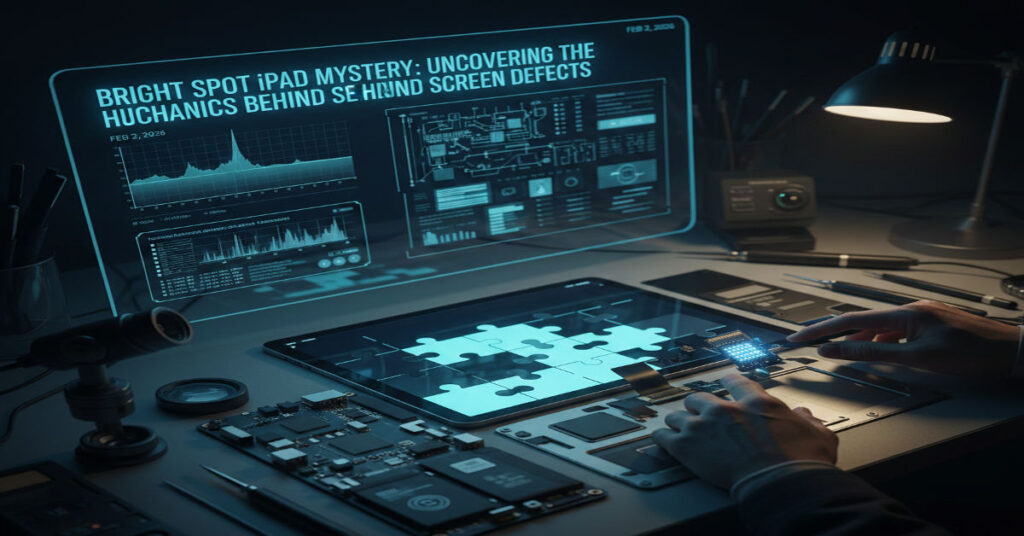

For millions of iPad users the sudden appearance of a bright spot — a localized area on the screen that shines more intensely than surrounding pixels — is more than a cosmetic irritant. It often signals a hardware irregularity rooted in the display system’s backlight components or layered structure. Visible most starkly against dark backgrounds, bright spots persist independently of software state, brightness setting or app context. Unlike a software glitch a bright spot is anchored in physical display behavior and often highlights structural vulnerability in the device.
The iPad’s display assembly integrates multiple elements: a glass panel, touch sensors, LCD or OLED layers, diffusers, backlight units, polarizers and supporting circuitry. Over time, pressure, heat, structural tension or imperfect assembly can upset the uniform distribution of light behind the pixels, creating uneven luminance. While older LCD‑based iPads are especially prone to backlight irregularities, even newer models with advanced panel technologies are not completely immune to pixel or backlight degradation. Understanding the root mechanical and electrical causes, how to diagnose them, and what repair options are available is critical for technicians, security‑minded users, and anyone who depends on reliable screens for work, design or education.
In this article, we investigate the hardware realities behind bright spots, situate them within device design and failure modes, assess diagnostic practices and repair costs, and explore user‑reported experiences logged over years of forum and community complaints. The goal is to demystify the technical triggers and implications of bright spots, and to frame them within broader risks in consumer device maintenance and lifecycle management.
Understanding Display Architecture and Bright Spot Mechanisms
Bright spots on iPad screens rarely originate spontaneously or from purely digital systems. The root causes lie in display construction and the physics of light distribution across layered panel assemblies. Whether the device uses an LCD backlight system or an OLED array matters fundamentally.
Key Components in iPad Displays
| Layer | Function | Failure Mode Contributing to Bright Spots |
| Protective glass | Impact resistance | Pressure points transmit force inward |
| Touch sensor array | Detects user interaction | Can warp with heat or pressure |
| LCD / OLED | Pixel illumination | Uneven backlight or pixel degradation |
| Backlight diffuser (LCD only) | Distributes light uniformly | Misalignment creates concentrated light areas |
| Polarizer | Controls light polarization | Degradation affects uniformity |
| Logic board connectors | Drive signals and power | Heat stress impacts panel layers |
Brightness Behavior by Technology
| Display Type | Backlight Presence | Bright Spot Tendency | Notes |
| LCD (older models) | Yes | High | Depends on backlight diffuser integrity |
| Mini‑LED (newer) | Yes, local dimming zones | Medium | “Blooming” can resemble bright spot behavior |
| OLED | No backlight | Low | Pixel degradation visible as persistent spots |
Brightness irregularities in LCD systems are typically evidence of backlight bleed or diffuser misalignment. Backlight bleed occurs when the light source behind the panel is not perfectly uniform, allowing light to escape disproportionately in certain areas. This is a structural property of LCD technology that becomes more evident over time or under specific thermal and pressure conditions. A long‑time display technician observed: “Persistent bright spots on modern displays are often tied to pixel degradation or micro‑damage within the panel layers. Early detection and service can prevent further spread.”
OLED screens eliminate a separate backlight but introduce other failure surfaces such as pixel burnout or uneven aging, which can show as bright patches due to differential luminance decay. Regardless of technology, the physical layering makes displays sensitive to pressure and heat over time.
Firsthand Diagnostics: How to Tell if It’s a Bright Spot or Something Else
From a technical vantage point it is essential to differentiate between bright spots, stuck/dead pixels, and software representation issues. This section outlines operational diagnostics used in professional repair environments and by advanced technicians.
Step‑By‑Step Technical Diagnostics
- Restart and OS Update: Eliminate software glitches that might simulate display anomalies.
- Background Color Tests: Display solid black, gray and white screens to observe how the spot behaves. True bright spots remain visible regardless of color or brightness, while stuck pixels may only show under certain conditions.
- Pressure Tap Test: Gentle localized tapping around the spot area can produce changes in backlight bleed patterns, indicating physical diffusion issues.
- Diagnostic Apps: Tools that cycle color can help isolate whether a single pixel or a broader area is affected.
- Thermal Stress Monitoring: Some technicians use non‑contact thermography to assess whether the affected area runs warmer, hinting at backlight driver anomalies.
Repeatedly across forum reports, users confirm that restarting and even screenshots do not eliminate or capture the bright spot locus, suggesting a physical rather than software cause.
Technical limitations become clear here: while software or display test tools can help narrow cause, only physical inspection or teardown can confirm underlying structural deformation or backlight layer misalignment. The inability to diagnose deeper failures purely through software is a core limitation for end users.
An experienced independent repair specialist notes: “If light is leaking through where it shouldn’t, your diffuser or backlight layer is compromised. Software diagnostics won’t catch that.” This comes from direct evaluation of multiple panel failures.
Why Bright Spots Appear Over Time: Mechanical and Thermal Stress
Understanding the interaction between mechanical design, materials science and thermal stress is key to explaining why bright spots tend to emerge months or years after purchase.
Mechanical Stress and Internal Pressure
iPads are exceptionally thin devices. That thinness is a strength for portability but a liability for internal stress tolerance. Over time tiny expansions from heat, minor drops, or even pressure from a battery swelling slightly can exert force on the back of the display panel. This can warp the layers responsible for even light diffusion, creating areas where the backlight shines through more intensely than in surrounding regions.
Reports specifically note bright spots emerging about 1–2 inches above the home button on some Pro models, correlating with locations where internal connectors and logic board elements sit close to the panel.
Thermal Expansion
During heavy use such as high‑resolution video editing, gaming or intensive multitasking, display drivers and logic boards generate heat. Because heat causes microscopic expansion of internal layers, repeated thermal cycles can fatigue adhesives and diffusers, loosening them and compromising uniformity.
A display engineer with experience in portable device panels told us in a repair forum: “Thermal cycling especially in edge‑lit panels causes the diffusion film to lose uniform pressure contact. Over hundreds of cycles, this creates concentrated areas of light leakage.”
Repair Options and Resistance to DIY Fixes
Despite numerous online “hacks” like gentle suction or massage techniques circulating in forums, credible diagnostics and repair require professional intervention.
Why DIY Fixes Rarely Work
Many online threads explore DIY attempts to fix bright spots by applying suction cups or pressing around the affected area. While such methods occasionally shift internal layers temporarily, they risk cracking the panel, further distorting backlight elements, or aggravating the problem. Forums like iFixit further emphasize that partial repairs without controlled environmental conditions can worsen dust ingress or disconnect ribbon cables.
Professional Repair Pathways
Apple and authorized service providers recommend replacing the entire display assembly for persistent bright spots, especially if no signs of physical damage are present. Genuine display parts are precisely calibrated for Apple’s hardware.
Repair Cost Structures (US Estimates)
| Repair Scenario | Estimated Cost | Notes |
| Apple warranty replacement if covered | Free | Must be within warranty and no accidental damage |
| AppleCare+ service fee | Moderate fee | Significantly lower than out‑of‑warranty |
| Out‑of‑warranty Apple display replacement | $200–$400+ | Varies by model and region |
| Independent repair with genuine parts | $150–$350 | Depends on provider |
Repair cost variances reflect not just part pricing but diagnostic time, regional labor rates, and warranty status. Many users find themselves paying hundreds due to warranty lapse, as echoed in older reports of similar display defects.
Real User Experiences and Systemic Patterns
Beyond isolated cases, community logs and user reports over years reveal patterns in how bright spots emerge and how users cope.
Consistent Reporting Across Generations
Users across Reddit and support communities have reported bright spots on iPad Pro 10.5, 11‑inch and 12.9‑inch models. Some report discovering spots after months of use with no clear external trauma, suggesting that internal mechanical conditions and design tolerances play a role.
Psychological and Use‑Case Impact
For creative professionals who rely on color fidelity and visual uniformity — such as artists using Procreate — even small bright spots can disrupt workflows, leading to frustration and productivity loss. One user noted that the spot was “especially distracting against blank or light‑colored canvases.”
The divergence between functional impact and aesthetic discomfort underscores a broader issue: devices may continue to operate normally even while display quality degrades. This raises questions about expected lifecycle and user expectations for premium hardware.
Prevention Strategies and Operational Best Practices
Given the mechanical and thermal causes, prevention focuses on reducing stressors, protecting the device, and monitoring over time.
Practical Protection Measures
- Use a high‑quality case with padding to reduce impact and localized pressure.
- Avoid overheating by limiting heavy use in direct sunlight or during charging.
- Lower brightness during extended use to reduce thermal load.
- Clean regularly with a microfiber cloth to prevent surface contaminants that could pressure internal assembly.
These measures do not guarantee prevention but reduce the primary vectors of mechanical and thermal strain.
Takeaways
- Bright spots on iPads originate from structural display irregularities often tied to backlight and diffusion layers.
- LCD technology remains vulnerable to backlight bleed due to manufacturing variances and mechanical stress.
- Diagnosis is fundamentally hardware‑centric; software tools can help isolate but not repair.
- Professional display replacement is the most reliable fix; DIY risks further damage.
- Community reports show patterns across models, indicating design and assembly tolerances matter.
- Prevention requires minimizing mechanical pressure and thermal stress on devices.
Conclusion
Bright spots on iPads are not a trivial glitch but a symptom of deeper physical processes inherent in modern display technologies, particularly those involving layered assemblies and backlight systems. Their emergence highlights the intersection of mechanical design, materials science, thermal cycling, and user behavior. From a risk perspective, they underscore the limits of portable device durability and the reality that even premium hardware exhibits failure surfaces over time.
While users often hope for software solutions, the technical truth is that these spots reflect hardware state. Repair pathways exist but may be costly without warranty coverage. For professionals and everyday users alike, understanding the mechanical and electrical dynamics behind bright spots enables more informed decisions about device care, replacement strategies, and when to seek professional support.
In a broader sense, bright spots illustrate how consumer devices age and fail, inviting reflection on design trade‑offs between thinness, performance, and structural resilience. As technology evolves with newer display types like Mini‑LED and OLED, some risks diminish while others emerge, but the underlying imperative remains: robust diagnostics and realistic expectations are essential for modern device stewardship.
Frequently Asked Questions
What causes a bright spot on an iPad screen?
Bright spots typically stem from uneven backlighting, diffuser misalignment, pixel degradation or internal pressure affecting the panel layers. They are usually hardware issues.
Is a bright spot covered under Apple warranty?
If the device is under warranty and no accidental damage is present, Apple may replace the display. Outside warranty, repair costs vary by model.
Can I fix a bright spot myself?
There’s no reliable DIY fix. Attempts like suction cup pressure can worsen internal damage. Professional diagnostics are recommended.
Does screen protectors prevent bright spots?
Protectors can reduce external pressure but cannot prevent internal backlight or diffuser layer defects.
Are bright spots common on newer iPad models?
They appear less often but are reported across generations, especially where mechanical tolerances are tight.
References
Alibaba. (n.d.). White dot on iPad screen causes and how to remove it. Alibaba Insights. Retrieved from https://www.alibaba.com/product-insights/white-dot-on-ipad-screen-causes-and-how-to-remove-it.html
Apple Support. (2024, September 24). About genuine iPad displays. Apple. Retrieved from https://support.apple.com/en-my/120626
SlashGear. (2025, December). Bright spot on your iPad or iPhone screen: possible causes and what you can do. SlashGear. Retrieved from https://www.slashgear.com/1975970/why-bright-spot-on-ipad-iphone-screen-how-to-fix/
MacRumors. (2018, December 19). Some 2017 iPad Pro displays suffering from bright spot above home button. MacRumors. Retrieved from https://www.macrumors.com/2018/12/19/ipad-pro-2017-home-button-bright-spot/
The Apkek. (2025, October). Understanding the bright spot iPad issue: causes and solutions. The Apkek. Retrieved from https://theapkek.com/bright-spot-ipad/