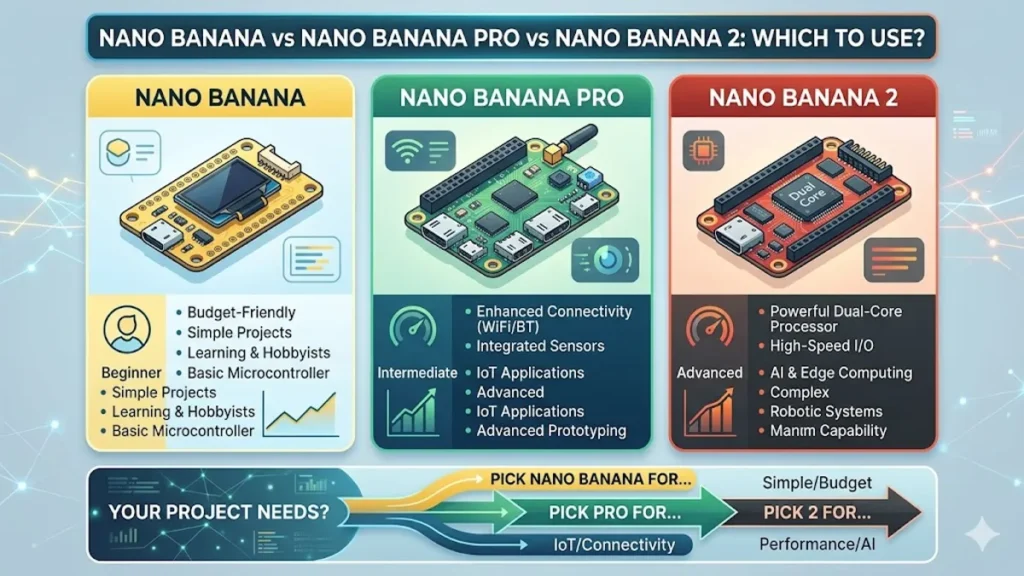

The landscape of artificial intelligence has shifted from a race for sheer power to a sophisticated balancing act of speed, cost, and specific utility. At the heart of this transition is Google’s Nano Banana suite, a trio of image generation models designed to serve everything from casual social media banter to high-end print production. While the original Nano Banana introduced the world to the “thinking” image model—moving beyond simple keyword matching to semantic understanding—the subsequent release of Nano Banana Pro and the February 2026 debut of Nano Banana 2 (Gemini 3.1 Flash Image) have created a complex hierarchy. Choosing the right model is no longer just about which is “best,” but which fits the specific constraints of a project’s budget and timeline.
For the vast majority of users, Nano Banana 2 has become the new industry default, offering roughly 95% of the “Pro” quality at half the cost and three times the speed. However, the Nano Banana Pro (Gemini 3 Pro) remains the undisputed king for tasks requiring deep spatial reasoning, such as complex multi-subject scenes or pixel-perfect typography for professional branding. Meanwhile, the legacy Nano Banana (now often referred to as Nano Banana 1 or Basic) persists as a high-speed, low-cost alternative for rapid prototyping where nuanced detail is secondary to volume. This guide deconstructs the architectural differences, pricing tiers, and real-world performance benchmarks to help you decide which “Banana” belongs in your creative pipeline.
The Architectural Divide: Flash vs. Pro Reasoning
The fundamental difference across these models lies in their “thinking” architecture. Nano Banana Pro is built on the Gemini 3 Pro backbone, which prioritizes “Maximum Reasoning Depth.” When you give Pro a complex prompt—for instance, a specific arrangement of seven different objects on a mahogany table with refraction through a glass of water—it allocates significant compute to ensure every spatial relationship is physically plausible. This “deep thinking” is why Pro excels at avoiding the “floating object” syndrome that often plagues smaller models. It doesn’t just generate pixels; it simulates a scene.
Nano Banana 2, however, represents the pinnacle of “Flash” architecture (Gemini 3.1 Flash). It is a distilled model designed to mimic the reasoning of the Pro version but at a fraction of the latency. While it may occasionally “hallucinate” minor details in highly complex scenes (such as the exact number of buttons on a coat), it has been optimized to handle 90% of common prompts with indistinguishable quality from Pro. The most significant upgrade in Nano Banana 2 is its Image Grounding capability, which allows the model to search the live web to understand what real-world objects look like before rendering them—a feature the older Pro model currently lacks.
Technical Specifications and Performance
| Feature | Nano Banana (Basic) | Nano Banana Pro | Nano Banana 2 (NB2) |
| Model Architecture | Gemini 2.5 Flash | Gemini 3 Pro | Gemini 3.1 Flash |
| Gen Speed (1K) | 2–4 Seconds | 10–20 Seconds | 4–8 Seconds |
| Max Resolution | 1K (1024px) | 4K (4096px) | 4K (4096px) |
| Text Rendering | Basic / Hit-or-Miss | Exceptional / Studio | High / Professional |
| Special Features | Speed & Volume | Multi-Subject Logic | Web Image Grounding |
| Min Resolution | 512px | 1024px | 512px |
Pricing and Economic Efficiency: The 2026 Reality
In the current market, “burning credits” on the wrong model can decimate a project’s budget. Nano Banana 2 was released specifically to close the cost gap that made Nano Banana Pro prohibitive for high-volume applications like automated social media management or game asset generation. At the 1K resolution tier, Nano Banana 2 costs approximately $0.067 per image, whereas Pro demands $0.134—exactly double the price. As resolution increases to 4K, the gap remains significant, with NB2 costing $0.151 against Pro’s $0.240.
For enterprises, the “Batch Mode” discount has become a critical tool for cost management. Both Nano Banana Pro and Nano Banana 2 offer a 50% discount for non-urgent tasks queued for 12–24 hour delivery. This brings the cost of a 4K image on Nano Banana 2 down to approximately $0.075, a price point previously reserved for much lower-quality models. Experts recommend a “Two-Tier Workflow”: use Nano Banana 2’s 512px resolution ($0.045) for rapid prototyping and variant testing, then switch to Pro or a full 4K NB2 render only once the composition is finalized.
Cost Comparison per 1,000 Images (Standard 1K)
| Model Tier | Cost per Image | Total per 1k Images | Best Use Case |
| Nano Banana 2 | $0.067 | $67.00 | Social Media, Ads, Web |
| Nano Banana Pro | $0.134 | $134.00 | Print, Packaging, Hero Images |
| NB2 (Batch) | $0.033 | $33.50 | Massive Archives, Training |
Subject Consistency and the “Consistency Multiplier”
One of the most persistent complaints in AI image generation has been the inability to keep a character looking the same across different shots. Nano Banana 2 has introduced a “Consistency Multiplier” that reportedly maintains up to five distinct characters and fourteen specific objects across a series of images. This makes it the superior choice for storyboarding, comic book creation, and narrative marketing. While Nano Banana Pro is capable of character consistency through very detailed prompting, NB2 has this capability “baked into” its instruction-following logic, making it more accessible to non-technical users.
“The breakthrough of Nano Banana 2 isn’t just the pixels; it’s the persistence. Being able to generate a character in a coffee shop and then the same character in a spaceship without the face morphing is the ‘Holy Grail’ for digital storytellers.” — Marcus Thorne, Creative Technologist at ImagineArt.
When to Pay the “Pro” Premium
Despite the speed and cost advantages of Nano Banana 2, Nano Banana Pro remains the “Director’s Cut” of the family. The primary reason to use Pro in 2026 is Compositional Ceiling. When a prompt involves deep layering—foreground, midground, and background elements that all must interact with specific lighting—Pro’s Gemini 3 architecture is less likely to “collapse” the scene. Pro also holds a slight edge in typography; if you are designing a movie poster or high-end packaging where the text is a focal point, Pro’s character-rendering accuracy is roughly 2-4% higher, reducing the need for manual Photoshop touch-ups.
Additionally, Nano Banana Pro is optimized for Photorealism in Skin Texture. While Nano Banana 2 can produce stunning photorealistic results, it occasionally leans toward a slightly “processed” look typical of Flash-tier distillation. Pro retains more of the “organic grain” and micro-imperfections found in high-end photography. If your end goal is a large-format print or a hero banner for a luxury brand, the extra 6-10 seconds of wait time and the $0.08 premium per image are investments in final fidelity that are difficult to ignore.
“If Nano Banana 2 is your daily driver for social media, Nano Banana Pro is your medium-format camera for the cover of Vogue. You don’t use it for everything, but when you use it, you notice the depth.” — Elena Rodriguez, Senior Designer at Google Flow.
Key Takeaways for Model Selection
- Default to Nano Banana 2: It is the most balanced model for 90% of tasks, combining high intelligence with Flash-tier speed and pricing.
- Use Pro for Typography: When text accuracy and complex font rendering are mission-critical, the Pro tier’s deeper reasoning pays for itself in saved editing time.
- Leverage Image Grounding: Only Nano Banana 2 can currently search the web for specific reference images (e.g., “a 1964 Shelby Cobra”) to ensure factual accuracy in your output.
- The 512px Strategy: Use NB2 at 512px for cost-effective rapid iteration before scaling up to 4K for the final asset.
- Consistency Matters: For narrative projects like comics or video storyboards, NB2’s superior character-persistence logic makes it the logical choice over the older Pro model.
- Batch for Savings: Use the Batch API for both models to secure a 50% discount if your project timeline allows for a 12-hour turnaround.
Conclusion
The “Banana” family represents a shift in AI from a singular, all-powerful model to a specialized toolkit. In 2026, the question of “Which to use?” has a clear answer based on your specific priorities. If your workflow demands high-volume throughput, real-time iteration, and the latest in web-grounded accuracy, Nano Banana 2 is the undisputed champion. It has effectively disrupted the market by making Pro-level quality accessible at Flash-level prices.
However, Nano Banana Pro remains the essential choice for the “Hero” assets—those high-stakes images where every shadow, every letter, and every complex interaction must be flawless. It is the model for the perfectionist and the print professional. Meanwhile, the original Nano Banana remains a useful relic for those on the tightest budgets or working in high-speed, low-fidelity environments. Ultimately, the successful digital creator in 2026 is one who knows how to move fluidly between these models, using the right “Banana” for the right stage of the creative journey.
READ:
Best Prompts for Nano Banana Pro Image Generation
How to Use Nano Banana 2 for AI Image Editing (Beginner Guide)
Frequently Asked Questions
Which model is best for generating logos with text?
Nano Banana Pro is currently the most accurate for fine typography and complex logos. However, Nano Banana 2 is a close second and handles headline-style text very well at half the cost.
Is Nano Banana 2 better than Pro?
“Better” depends on your needs. NB2 is faster, cheaper, and has newer features like web image grounding. Pro has deeper reasoning for very complex scenes and slightly better photorealistic textures.
Can I use these models for commercial work?
Yes, Google’s paid tiers (Gemini Advanced and Vertex AI) generally grant commercial usage rights for generated content, though you should always verify the current Terms of Service for your specific region.
What is “Image Grounding” in Nano Banana 2?
It is a feature that allows the AI to search Google Images in real-time to understand what a specific object or person looks like, ensuring the generated image is factually accurate.
How much does a 4K image cost in 2026?
On Nano Banana 2, a 4K image costs about $0.151. On Nano Banana Pro, it costs approximately $0.240. Batch processing can cut these prices by 50%.
References
- Google DeepMind. (2026). Gemini 3.1: Technical Report on Flash Image Architectures and Grounding. Google Research Blog. https://blog.google/technology/ai/google-gemini-next-generation-model-update-may-2024/
- Fal.ai. (2026, March 5). Nano Banana Pro vs. Nano Banana 2: What’s The Difference?. https://fal.ai/learn/tools/nano-banana-pro-vs-nano-banana-2
- Times of India Tech Desk. (2026, February 28). Nano Banana 2 vs Nano Banana Pro: Everything you need to know about speed and 4K quality. The Times of India. https://timesofindia.indiatimes.com/technology/tech-news/nano-banana-2-vs-nano-banana-pro-everything-you-need-to-know-about-speed-4k-quality-and-how-to-use-them/articleshow/128837879.cms
- ALM Corp. (2026, February 27). Google Nano Banana 2 (Gemini 3.1 Flash Image): Complete Guide. ALM Blog. https://almcorp.com/blog/google-nano-banana-2-gemini-31-flash-image-complete-guide/