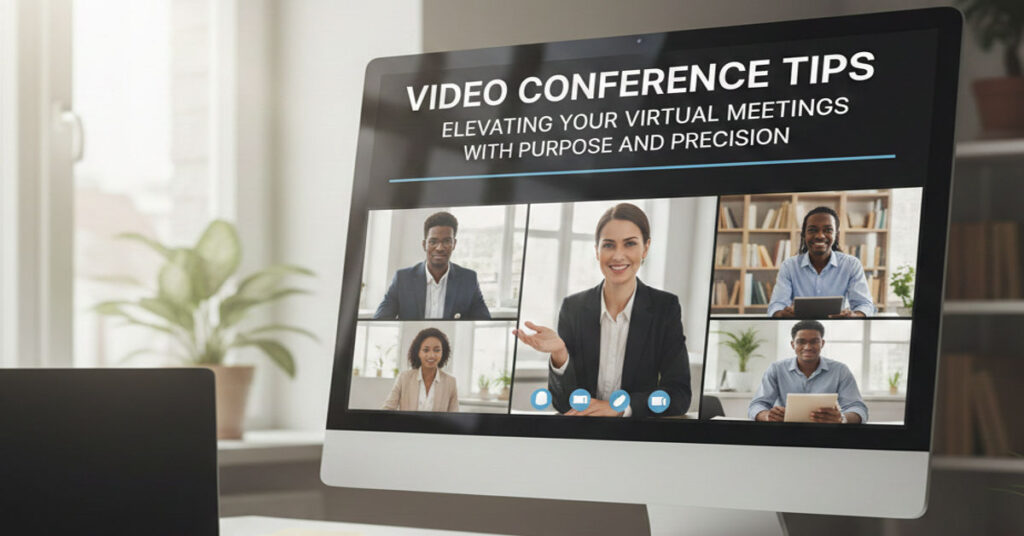

Virtual meetings have become a cornerstone of modern work culture, yet many participants struggle to achieve productive and engaging interactions. Mastering video conferencing boils down to preparation, professional presentation and clear communication. From executives negotiating high-stakes deals to remote teams collaborating across time zones, the medium influences outcomes as much as the Video Conference Tips content discussed.
Research by Owl Labs indicates that in 2022, 70% of full-time workers participated in at least one video meeting daily, yet nearly half reported technical difficulties or distractions. Experts emphasize that structured practices can drastically improve meeting efficiency. This guide distills actionable strategies, technological insights, and behavioral practices to ensure your virtual interactions are effective, professional and fatigue-free.
Tech Preparation: Minimizing Disruptions Before the Call
Technical reliability underpins a successful virtual meeting. Test video, audio, and internet connections before every call. High-quality headsets or external microphones positioned 20-30 cm from the mouth enhance clarity with audio levels around two-thirds optimal.
Lighting also plays a critical role. Natural window light or ring lights positioned in front reduce shadows and maintain visual clarity. Screen brightness should be adjusted to avoid glare or washed-out imagery.
Marcus Reed, digital economy analyst, notes, “Investing in simple tech adjustments can yield outsized efficiency gains, reducing meeting overruns caused by poor audio or visibility.”
| Component | Recommended Setup | Common Issues |
| Microphone | External headset, 20–30 cm from mouth | Low volume, background noise |
| Camera | Eye-level, 1080p preferred | Blurry or grainy video |
| Lighting | Ring light or window light | Shadows, uneven lighting |
| Connection | Wired Ethernet or stable Wi-Fi | Dropouts, lag |
Appearance and Setup: Conveying Professionalism
Your visual presence communicates competence. Opt for a clean, neutral background or enable virtual blur to minimize distractions. Dress from the waist up in work-appropriate attire; professional clothing influences both perception and mindset.
Camera positioning is essential. Eye-level placement simulates eye contact, fostering engagement and trust. Small adjustments, like angling the camera slightly downward, can subtly enhance framing.
“People subconsciously evaluate professionalism visually,” says Sofia Calder, digital culture observer. “Even small inconsistencies, like cluttered backgrounds, can erode perceived credibility.”
Meeting Etiquette: Structured Engagement
Muting when not speaking minimizes ambient noise. Arrive punctually with an agenda to frame discussions efficiently. Avoid multitasking, as divided attention degrades participation quality.
Verbal and visual cues improve coordination. Use chat features for hand-raising, share screens intentionally, and limit side conversations to maintain alignment. These practices reduce misunderstandings and enhance decision-making speed.
| Etiquette Action | Purpose | Impact |
| Mute when idle | Minimize background noise | Clearer communication |
| Use chat hand-raise | Organize participation | Prevent interruptions |
| Screen sharing | Highlight relevant content | Focused discussion |
| Limit side talks | Maintain alignment | Efficient decision-making |
Combating Fatigue: Sustainable Meeting Practices
Virtual fatigue is a growing challenge. Keep sessions under 40 minutes whenever possible and limit participants to essential stakeholders. Scheduling regular breaks or implementing weekly no-meeting days can restore cognitive energy.
Speak at a measured pace and pause for questions. This pacing improves comprehension and reduces stress caused by rapid-fire exchanges.
Lena Moritz, tech and crypto correspondent, highlights, “Strategically limiting meeting length and participants is not just ergonomic—it optimizes workflow, increasing actionable output per hour.”
Follow-Ups: Reinforcing Outcomes
Follow-up communication solidifies action items and clarifies decisions. Distribute concise meeting summaries within 24 hours, listing responsibilities and deadlines. Utilize collaborative tools like Trello or Notion to maintain visibility of tasks.
“Clarity post-meeting prevents rework and ensures alignment across teams,” notes Marcus Reed.
Video Conferencing Software Comparisons
Selecting the right platform is critical for seamless collaboration. Factors include integration, security, participant limits, and usability.
| Platform | Features | Strengths | Weaknesses |
| Zoom | Breakout rooms, recording, virtual backgrounds | High reliability, scalable | Occasional security concerns |
| Microsoft Teams | Chat integration, Office 365 sync | Deep collaboration | Resource-intensive |
| Google Meet | Browser-based, real-time captions | Simple setup, accessible | Limited advanced features |
| Cisco Webex | Whiteboarding, polling | Enterprise security | Learning curve |
Common Technical Issues and Fixes
Video conferencing disruptions often stem from connectivity, software settings, or hardware limitations. Common fixes include:
- Restarting routers or devices
- Closing background applications
- Updating software
- Testing alternate devices if persistent issues occur
Expert Tip: Lena Moritz suggests using dual monitors for presenters. “One screen can host the call while the other displays reference materials, reducing the cognitive load of switching contexts.”
Leading Productive Video Meetings
Effective meeting leaders frame discussions and maintain momentum. Prepare structured agendas, assign speaking roles, and monitor time allocations. Encourage succinct updates and clear next steps.
Arjun Vale, systems analyst, adds, “Leadership in virtual spaces demands proactive orchestration; the absence of physical cues requires anticipatory management to sustain focus.”
Video Conference Background Ideas
Thoughtful background selection balances professionalism and personality. Minimalist setups, bookshelves, or branded banners maintain clarity while conveying identity. Avoid overly complex or distracting visuals.
Security Best Practices
Security is essential in digital collaboration. Utilize password-protected meetings, enable waiting rooms, update software promptly, and share links securely. Educating Video Conference Tips participants on phishing risks and confidential information handling mitigates breaches.
Takeaways
- Test technology before every call to prevent disruptions
- Maintain a professional visual and audio presence
- Follow structured etiquette for clarity and engagement
- Limit meeting length and participants to reduce fatigue
- Distribute concise follow-ups to reinforce actions
- Choose software aligning with team needs and security requirements
- Prioritize leadership and agenda-driven sessions for productive outcomes
Conclusion
Effective Video Conference Tips is more than a convenience it is a skill shaped by preparation, behavior, and technology. By systematically testing equipment, curating visual presence, enforcing etiquette, and strategically pacing meetings, participants enhance clarity, efficiency, and engagement. Leaders and contributors alike benefit from structured agendas, thoughtful software selection, and post-meeting reinforcement. Over time, these practices cultivate professional credibility and optimized collaboration in digital spaces, transforming video calls from perfunctory obligations into high-value interactions that Video Conference Tips support both individual performance and organizational outcomes.
FAQs
1. How can I reduce background noise during calls?
Use a high-quality headset, mute when not speaking, and consider noise-canceling software.
2. What is the ideal meeting length to prevent fatigue?
Keep sessions under 40 minutes when possible, with breaks for longer discussions.
3. How should I position my camera for better engagement?
Place the camera at eye level and look directly into the lens to simulate eye contact.
4. What platforms are best for large team meetings?
Zoom and Microsoft Teams are recommended for scalability, integration, and advanced collaboration features.
5. How can I ensure security during video calls?
Enable passwords, waiting rooms, update software, and share links securely with trusted participants.
References
- Owl Labs. (2022). State of Remote Work 2022. https://www.owllabs.com/state-of-remote-work/2022
- Microsoft. (2023). Best Practices for Microsoft Teams Meetings. https://learn.microsoft.com/en-us/microsoftteams/best-practices
- Zoom Video Communications. (2023). Zoom Security Overview. https://zoom.us/security
- Cisco Webex. (2023). Webex Meetings Features. https://www.cisco.com/c/en/us/products/conferencing/webex-meetings/index.html
- Google Workspace. (2023). Google Meet Tips and Features. https://workspace.google.com/products/meet/